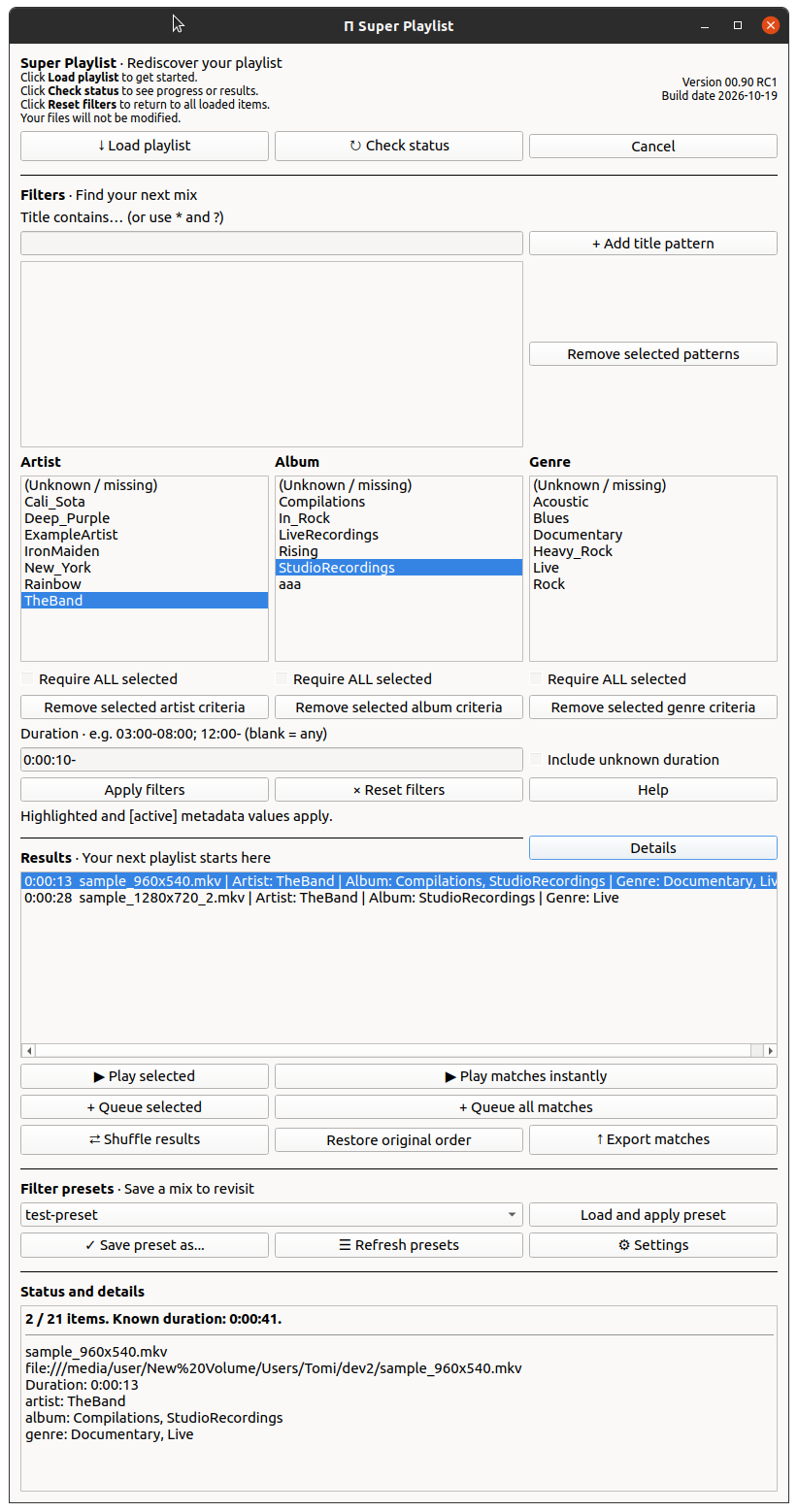
Find what to play next
Super Playlist filters your current VLC playlist using titles and metadata. Your media files are never modified.
What you can do
- Search titles using wildcard patterns.
- Combine Artist, Album, and Genre filters.
- Narrow results by duration.
- Queue selected results.
- Export matching items as a playlist.
This plugin gives you quite extensive possibilities to filter your media library. The filters can also be saved for future convenience.
Compatibility
The current project targets Linux with VLC 3.
Regular Linux VLC and Snap VLC have different installation instructions. The current Snap setup uses Video Metadata Pro's shared Snap runtime. Regular VLC does not require Video Metadata Pro.
Linux variants will be supported. Windows or macOS operating systems are not in plans at the moment. Currently it seems that the installation is very easy in different Debian flavours. Testing in Fedora, Arch Linux etc. has already been started.
At first, installation from public Git repository has became available. Easier install methods may appear later.
If you like to run VLC in container like firejail, the results are not guaranteed as the plugin does e.g. file operations with Python and required libraries. Fixing this is not a high priority task but can be investigated if there seems to be demand.
Warning
This add-on most probably works best on 4K resolution display. 2560x1440 is likely usable as well, but it might be that smaller displays will not be properly usable with the plugin. There is wealth of information in the plugin and it is difficult to minimize that and the useful controls.
Coming next
Screenshots, a short demonstration, and installation instructions are being prepared.
Tip
New! Screenshot updated on 19.10.2026. Example files content in the screenshot could be better, but there are many UI improvements since the original version.